
PowerOps vs GenCore: generator dealer CRM software
GenCore in this comparison is GenCore CRM at gencorecrm.com. The site describes a CRM built for generator companies, covering install and service (vendor-reported). It is not NASA GenCore, not Geneforce hardware, and not a different product with a similar name.
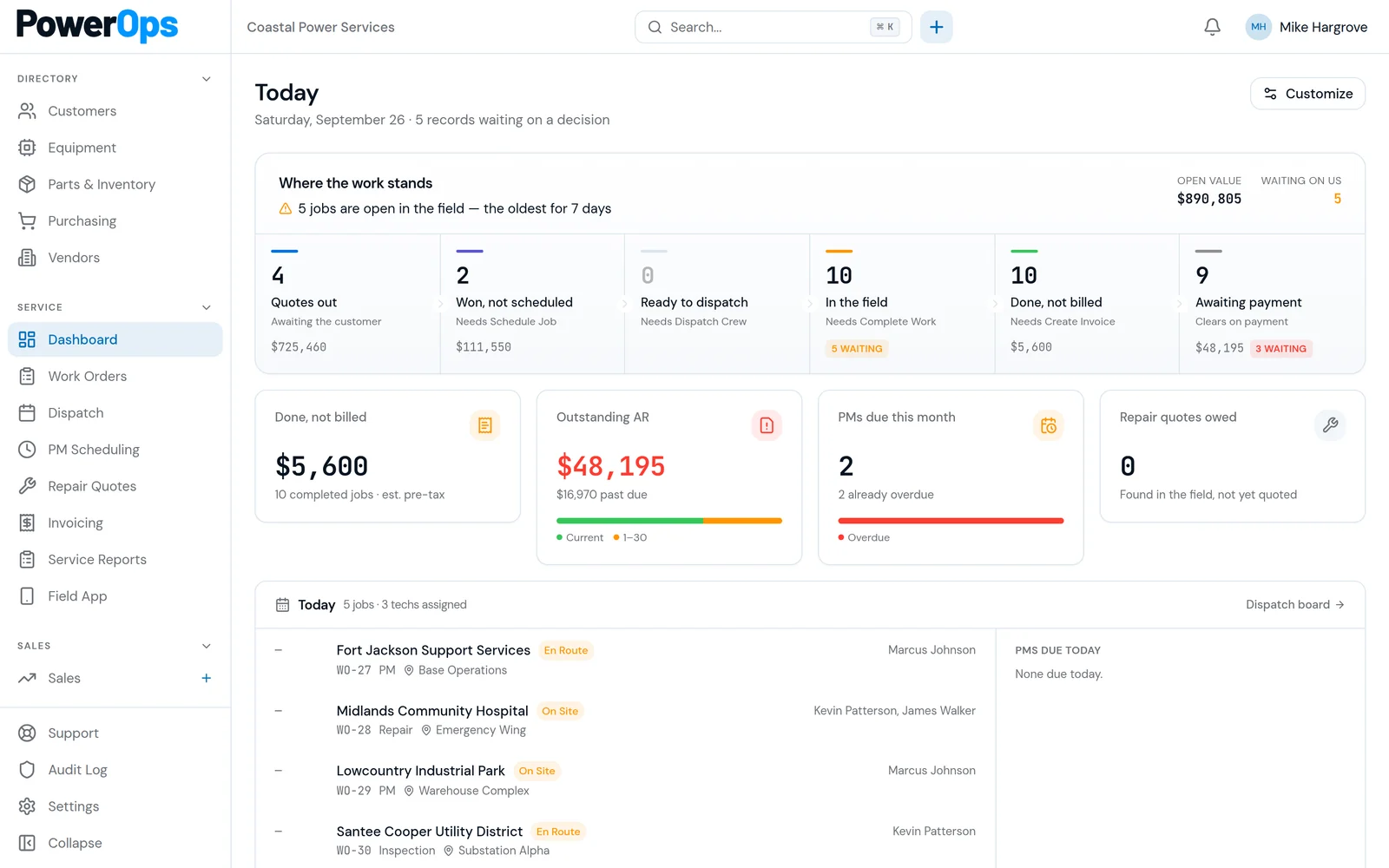
PowerOps is generator service software for shops that document customers, sites, generators, ATS equipment, PM, and field approvals. Public GenCore pages have used waitlist or early-access language and publish plan tiers. Confirm availability. This page does not reprint those prices.
At a glance
GenCore cells are vendor-reported from gencorecrm.com. Confirm early-access status before you plan a cutover.
| Topic | PowerOps | GenCore CRM |
|---|---|---|
| Identity | PowerOps, generator service software at this site. | GenCore CRM at gencorecrm.com only. Not NASA GenCore and not Geneforce hardware. |
| Buyer | Generator service shops, including commercial and critical accounts. | Vendor-reported: CRM for generator companies, with install and service. Confirm the ICP on a demo. |
| Pipeline and estimates | Quotes in the same system as the work order and the invoice. A person advances each gate. | Vendor-reported: lead pipeline, estimates, and Generac-oriented tools. Confirm in a demo. |
| Service plans | PM scheduling, due views, and service history on the generator and ATS. | Vendor-reported: service plans. Confirm visit generation and unit coverage. |
| Availability | Demo first. A person approves access. Then a 14-day trial. No card required. | Vendor-reported waitlist or early-access language on the public site. Confirm what is available now. |
| Price | One company plan. Unlimited office and field accounts. Price shared on the demo or after access review. No public dollar price. | Plan tiers are published on gencorecrm.com. Confirm current terms there. Not reprinted here. |
Where GenCore CRM is strong
Vendor-reported from gencorecrm.com. Useful when the buyer is an installer evaluating a generator CRM.
- Public positioning as a CRM for generator companies, covering install and service.
- Lead pipeline, estimates, service plans, and SMS described on the site.
- Generac-oriented quoting tools and checklists described publicly. Confirm they match the equipment you sell.
- Published plan tiers. Read them on the vendor site. A waitlist or early-access notice, if it is still up, is an availability question.
Where PowerOps is built differently
- Commercial and critical service documentation: customers, sites, generators, ATS, dispatch, work orders, quotes, and invoices.
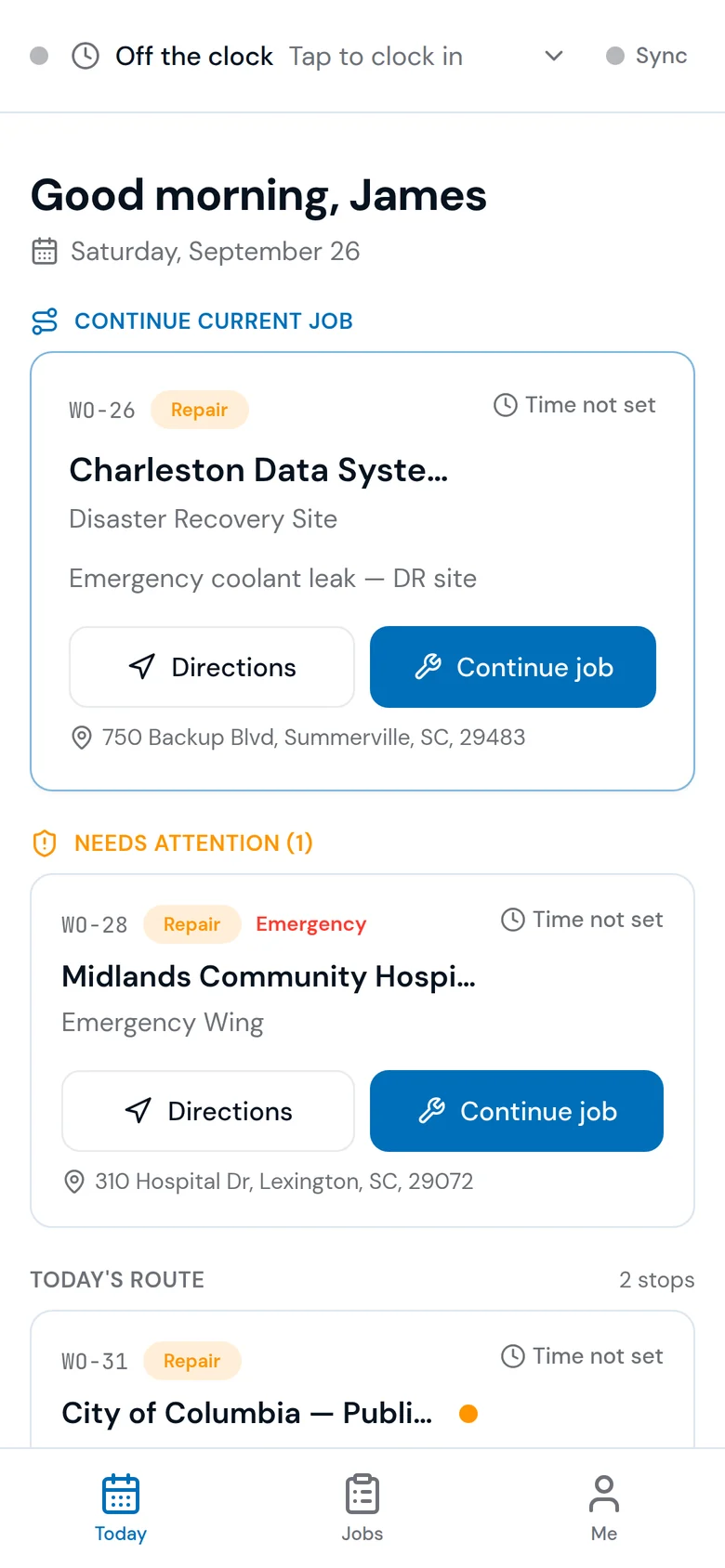
- NFPA 110 monthly checklist in the field app and PM due views. Staff generate draft PM work orders. A person still approves the gate.
- Audited gates store the named person, server timestamp, and snapshot. Append-only. Supports review. Does not certify compliance.
- One company plan, unlimited office and field accounts, demo, then approved 14-day trial. No card required. No public dollar price.
Same-job demo script
If you only install, test the install. If you only service commercial accounts, test that. If you do both, run both jobs.
1. Name the product
Confirm you are in GenCore CRM at gencorecrm.com, not another GenCore. Ask what is available to a new company this week versus still on a waitlist.
2. Install estimate
If you sell home standby, run one Generac-style estimate. GenCore estimate and checklist tools are vendor-reported. Keep the output.
3. Service plan
Turn that install into a service plan. See whether the generator and ATS keep their identity when the work becomes maintenance.
4. Commercial checklist
Bring an NFPA 110 monthly checklist from a commercial account. PowerOps includes that checklist in the field app. Ask GenCore CRM to show the equivalent record. Neither result certifies compliance.
5. SMS and pipeline
If texting and a lead pipeline are buying requirements, make GenCore demonstrate them. Do not score PowerOps against a feature you have not asked either vendor to show on your data.
6. Approval and price
Export an approval with a named person and a timestamp from PowerOps. Read GenCore plan tiers on their site, then compare scope in writing. Do not copy prices onto a spreadsheet from memory.
Who should shortlist which
Shortlist GenCore CRM when
You want a generator CRM centered on install, estimates, service plans, and the Generac-oriented tools their site describes. Confirm waitlist or early-access status and the plan you would actually get.
Shortlist PowerOps when
You need commercial service operations: ATS records, PM due visibility, an NFPA 110-oriented checklist, and approvals a reviewer can attribute to a person. Book a demo with that job. Do not treat either homepage as the decision.
Questions and answers
What is GenCore in this comparison?
GenCore here is GenCore CRM at gencorecrm.com, which publishes a CRM for generator companies covering install and service. This page is not about NASA GenCore, Geneforce hardware, GenForge, or any other product that shares part of the name.
Is PowerOps a GenCore alternative?
Only for the overlap you actually buy. GenCore CRM is aimed at generator companies, with a public lean toward install, estimates, and service plans (vendor-reported). PowerOps is generator service software for shops that document commercial and critical equipment. Shortlist both only when the same job matters to you, then demo that job.
Is GenCore generally available?
Vendor-reported: gencorecrm.com has used waitlist or early-access language and publishes plan tiers. Confirm what you can use today, what is still on a waitlist, and the current terms. This page does not reprint those prices and does not treat a homepage posture as a feature verdict.
Which fits a Generac installer versus a commercial service shop?
If the book is home-standby installation, estimates, and Generac-oriented checklists, put GenCore CRM on the shortlist and test those workflows. If the book is commercial and critical service — generator and ATS history, PM, and an NFPA 110-oriented field checklist — test PowerOps on that job. Many dealers do both. Run both jobs if you do.
Does PowerOps include a lead pipeline and SMS?
PowerOps includes quoting and the sales workflow documented on the site. GenCore publishes a lead pipeline, estimates, service plans, and SMS (vendor-reported). Confirm SMS, pipeline stages, and Generac checklist tools in a GenCore demo rather than assuming parity.
How does pricing compare?
GenCore CRM publishes plan tiers on gencorecrm.com. Read them there. PowerOps shares its price on a demo or when a person reviews an access request and does not print a dollar figure on this page. This page does not reprint GenCore prices.
Does either product make a shop NFPA 110 compliant?
No. PowerOps includes an NFPA 110 monthly checklist and audited gates that support review. Those records do not certify compliance. Confirm what GenCore CRM provides for commercial test documentation in a demo before you rely on it.
Book a 30-minute demo.
Bring one install and one commercial service visit if you do both. A 14-day trial starts after a person approves access. No card is required.
843-212-0829 · Monday–Friday, 9:00am–5:00pm Eastern
PowerOps.io#1144
78 Folly Road Ste B9
Charleston, SC 29407
United States