
Generator dealer software for shops: CRM and service records.
Shops and dealers that sell and service standby generators need one trail from the customer and the site to the generator, the ATS, the PM agreement, the visit, and the invoice. A CRM that ends at the sold unit, or a field service tool that stores the generator as a note, splits that trail.
This page is a buying guide for that category. It does not rank vendors, invent review counts, or print dollar prices. Named products below are vendor-reported. Confirm each one in a demo.
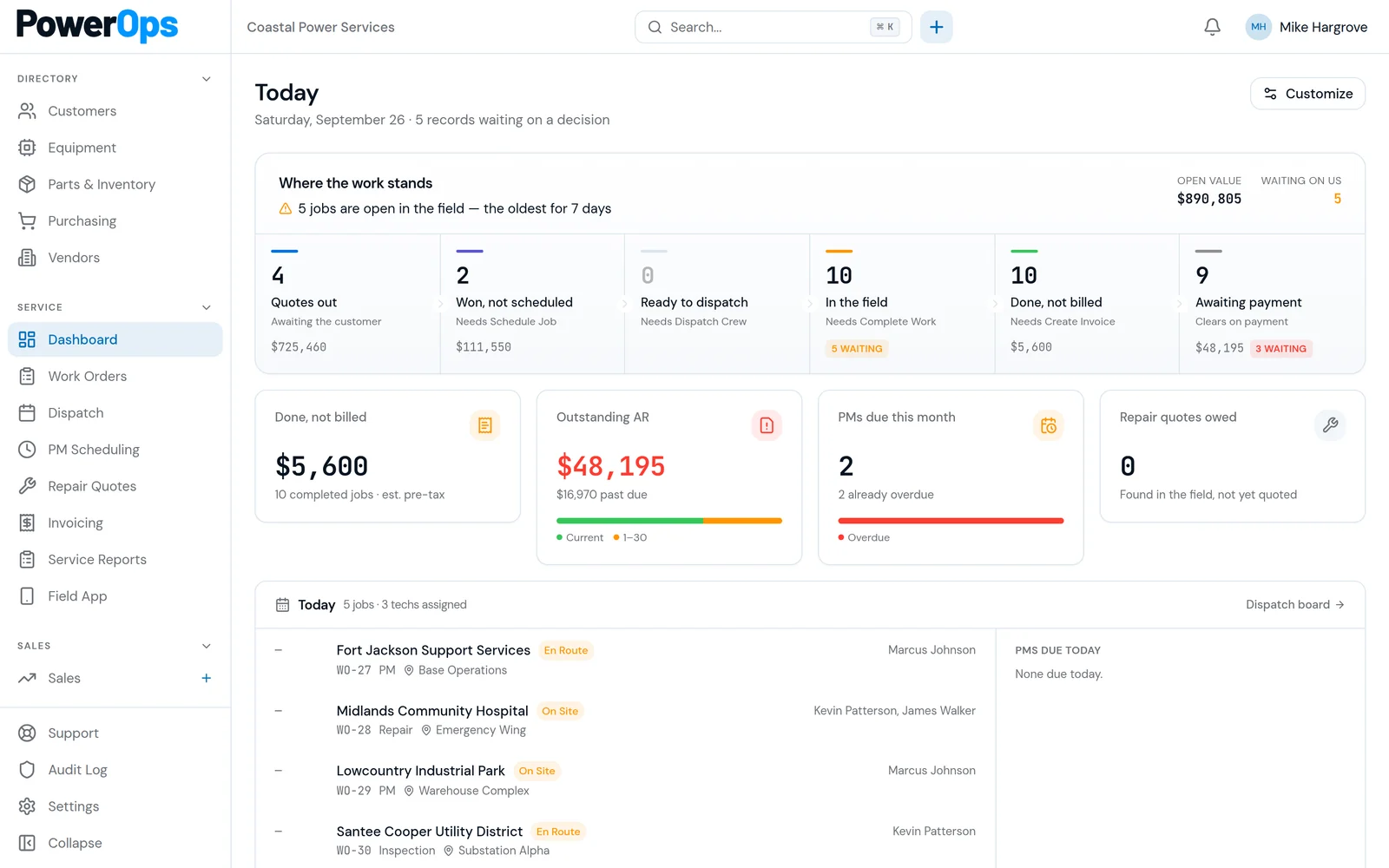
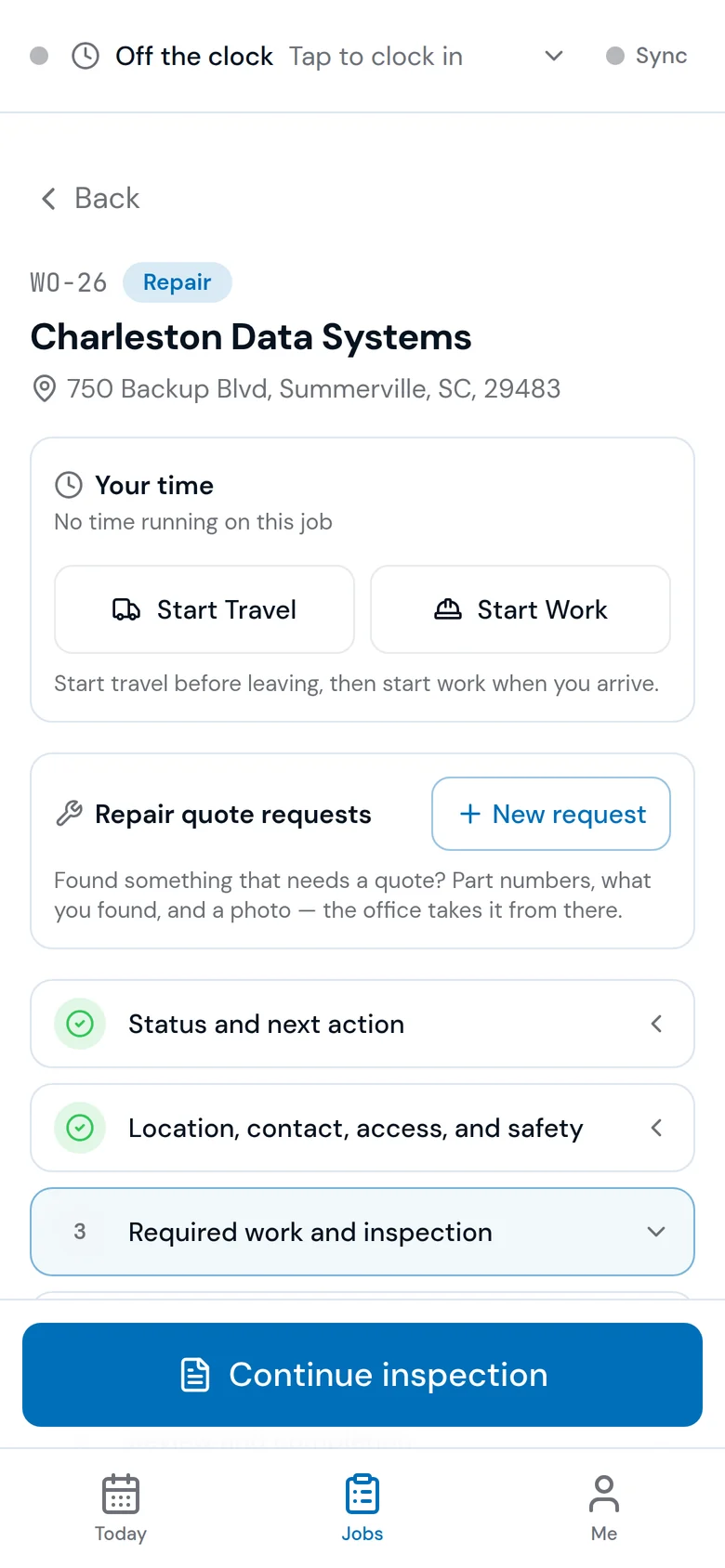
What dealer software has to hold
Use this as the record you expect, then ask every vendor to open it on a unit you already service.
Customer and site
The account, the people, the site address, access notes, and billing terms should stay on the quote and the work order. Staff should not have to re-enter that identity for the same job.
Generator and ATS
Make, model, serial, kW, fuel, and the transfer switch belong on the equipment record, with service history attached to that unit.
PM through invoice
The agreement, the due visit, the field checklist, the attributed approval, and the invoice should point at the same equipment.
How to evaluate a shortlist
One generator. One ATS. The same PM change, checklist, and invoice in every demo.
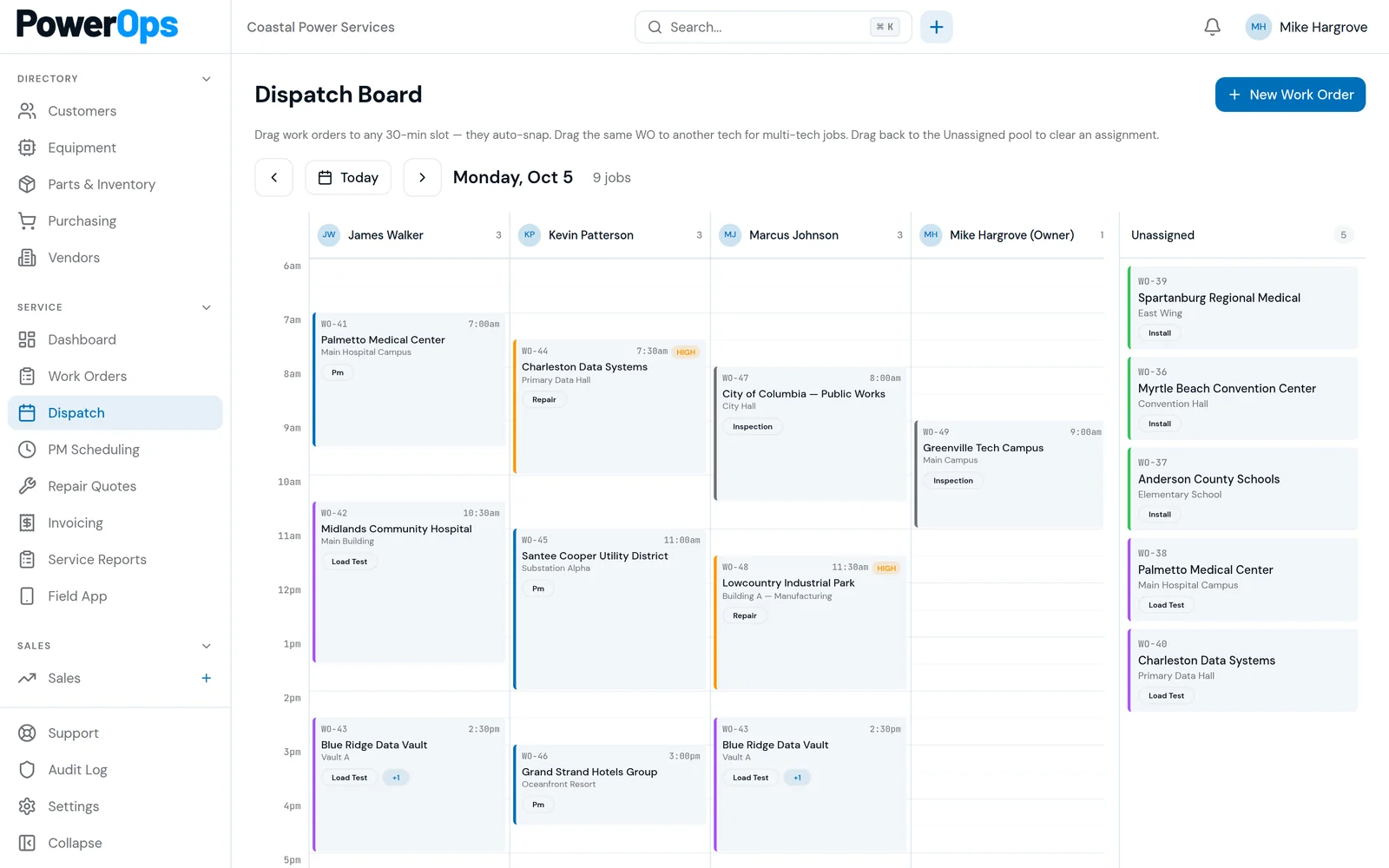
Actual PowerOps dispatch board, shown with a demo company’s data.
- 1. Confirm you are looking at the generator product, not a namesake. GenCore in these comparisons is gencorecrm.com. TEN4 is Nexent. Smart Service is the trade field-service product with a generator industry page.
- 2. Ask who the software is sold to: a dealer CRM, an install CRM, a multi-trade field service suite, or a generator service shop. The label is not the fit.
- 3. Open the equipment record and change a PM agreement. See whether the next visit and the unit history stay connected.
- 4. Complete the field checklist you file for a commercial account, including an NFPA 110 monthly inspection if that is your work. Software does not certify compliance.
- 5. Trace the quote to the invoice. Note whether QuickBooks is required to run the job or only to sync the invoice.
- 6. Read commercial terms in writing: accounts, onboarding, export, and trial. Leave dollar amounts on the vendor site or in the demo. Do not compare remembered prices.
Named comparisons
These four products show up in dealer, CRM, and generator service software conversations. Each link is a PowerOps comparison written with vendor-reported language. Other field service comparisons are on the comparison page.
GenaForce
Vendor-reported: custom CRM and field service for generator dealers, including Generac-dealer messaging. Confirm scheduling, PM, and dispatch on your book.
PowerOps vs GenaForceGenCore CRM
Vendor-reported at gencorecrm.com only: CRM for generator companies, install and service. Confirm waitlist or early-access status. Prices are not reprinted here.
PowerOps vs GenCore CRMTEN4
Vendor-reported: Nexent field service software with a generator and power-system industry page and a QuickBooks Online-centered story. Confirm the edition.
PowerOps vs TEN4Smart Service
Vendor-reported: generator service around maintenance agreements, unit history, and a QuickBooks add-on story. Confirm Cloud versus Desktop.
PowerOps vs Smart ServiceWhere PowerOps fits
PowerOps is built for generator service companies. Dealers and shops use it for customers, sites, generators, ATS records, dispatch, work orders, quotes, and invoices. The mobile field app holds inspection and service-report drafts. PM due dates are visible, and an authorized person can generate eligible draft PM work orders.
An NFPA 110 monthly checklist is available in the field app. Audited gates store the named person, the server timestamp, and a snapshot. That trail supports review. It does not certify that the shop or the site is compliant.
The commercial model is one company plan, with unlimited office and field accounts and onboarding included. The price is shared on the demo or after an access request is reviewed. The 14-day trial starts after a person approves access. No card is required. Invoices can sync to QuickBooks Online after provider setup. PowerOps is not a QuickBooks Desktop add-on.
Questions and answers
What is generator dealer software?
Generator dealer software is the CRM and service system a shop uses to sell and maintain standby equipment: the customer, the site, the generator, the ATS, the PM agreement, the visit, and the invoice. A dealer CRM that stops at the sale still leaves the service book in another tool.
How is dealer software different from generic field service software?
Generic field service products often start from HVAC, plumbing, or multi-trade work and add a generator industry page. Dealer and shop buyers still have to test whether the generator and ATS are real records, whether PM visits come from the agreement, and whether a field checklist can be exported with a named approval.
Which products market generator dealer or generator CRM software?
GenaForce publishes a CRM and field service platform for generator dealers. GenCore CRM at gencorecrm.com publishes a CRM for generator companies. TEN4 (Nexent) and Smart Service publish generator field-service industry pages. Those notes are vendor-reported. This page links to a dedicated comparison for each and does not rank them.
Does PowerOps publish a price?
No. PowerOps uses one company plan with unlimited office and field accounts. The price is shared on a demo or when a person reviews an access request. A 14-day trial starts after that approval. No card is required. Competitor prices stay on their sites.
Does dealer software make a shop NFPA 110 compliant?
No. PowerOps includes an NFPA 110 monthly checklist in the field app and audited gates that record who approved the work and what they saw. That supports review. It does not certify compliance for the company or the site. Confirm the other vendors' forms in a demo.
How should a dealer evaluate the shortlist?
Pick one generator and its ATS. Run the sale or estimate, the PM agreement, the field checklist, and the invoice in each product you are considering. Keep the export. A homepage is not the comparison.
Book a 30-minute demo.
Bring a generator you sell and the service visit that follows it. A 14-day trial starts after a person approves access. No card is required.
843-212-0829 · Monday–Friday, 9:00am–5:00pm Eastern
PowerOps.io#1144
78 Folly Road Ste B9
Charleston, SC 29407
United States