
PowerOps vs Smart Service: generator service software compared
Smart Service markets generator service around maintenance agreements, per-unit history, multi-visit installs, and QuickBooks add-on workflows (vendor-reported on their generator industry page). PowerOps is generator service software with equipment and ATS records, PM scheduling, and field-to-invoice work in one system.
Use the same job in both demos. Confirm Smart Service Cloud versus Desktop before you lock a QuickBooks assumption. This page does not rank either product and does not reprint prices.
At a glance
Smart Service cells are vendor-reported. Confirm them in a demo with your agreements and your QuickBooks edition.
| Topic | PowerOps | Smart Service |
|---|---|---|
| Maintenance agreements | PM schedules, due views, and staff-triggered draft work orders tied to the equipment record. | Vendor-reported: maintenance agreements that generate visits, plus renewal workflows. Confirm in a demo. |
| Unit records | Generator and ATS are first-class records, with service history on the equipment. | Vendor-reported: per-unit history. Confirm generator and ATS identity fields on your units. |
| Forms and NFPA | NFPA 110 monthly checklist in the field app. Audited gates support review and do not certify compliance. | Vendor-reported: custom forms, and generator-page copy about NFPA 110 paperwork for commercial accounts. Confirm the form. |
| QuickBooks posture | Service workflow in PowerOps. QuickBooks Online invoicing sync after provider setup. | Vendor-reported: QuickBooks add-on story, with Desktop and Cloud variants. Confirm the edition. |
| Trade focus | Built for generator service companies, not as a multi-trade HVAC or plumbing suite. | Vendor-reported: a multi-trade field service product with a generator industry page. |
| Trial motion | Book a demo. A person approves access. Then a 14-day trial. No card required. One company plan. | Confirm Smart Service trial, onboarding, and edition terms in their quote. This page does not reprint a price. |
Where Smart Service is strong
Vendor-reported from smartservice.com, including the generator service software industry page. Fair reasons to keep them on the shortlist.
- Maintenance agreements that generate visits, and a published renewal story.
- Per-unit history and custom forms.
- Multi-phase install work and storm or outage triage described for generator service.
- QuickBooks-native positioning, plus AI features described for Smart Service Cloud. Confirm what is in the edition you would buy.
- Generator-page copy that discusses commercial accounts expecting NFPA 110 documentation. Confirm the actual paperwork.
Where PowerOps is built differently
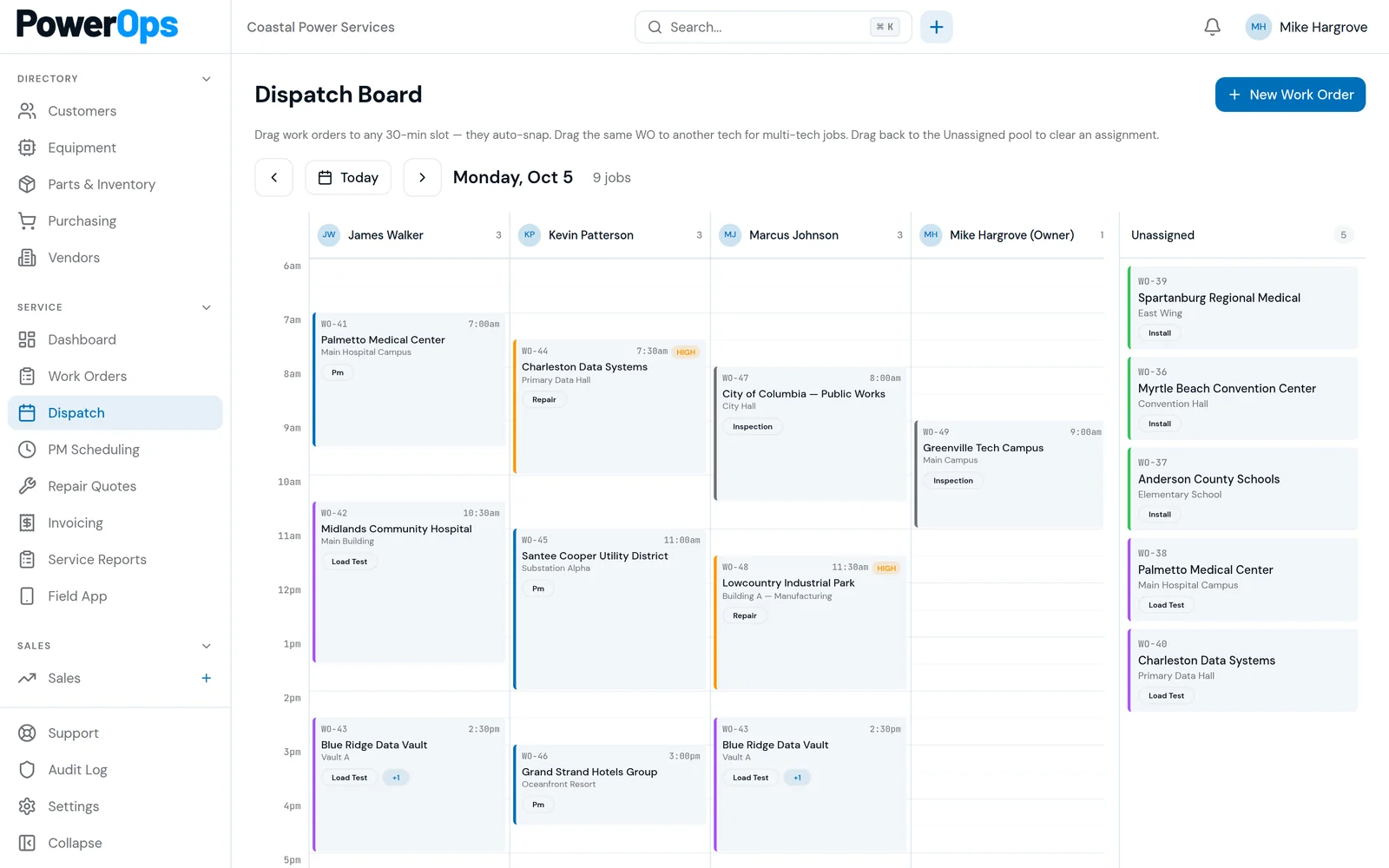
- Generator and ATS identity first, then the PM book, the work order, and the invoice.
- PM due views and staff-triggered draft PM work orders. An authorized person still approves the schedule.
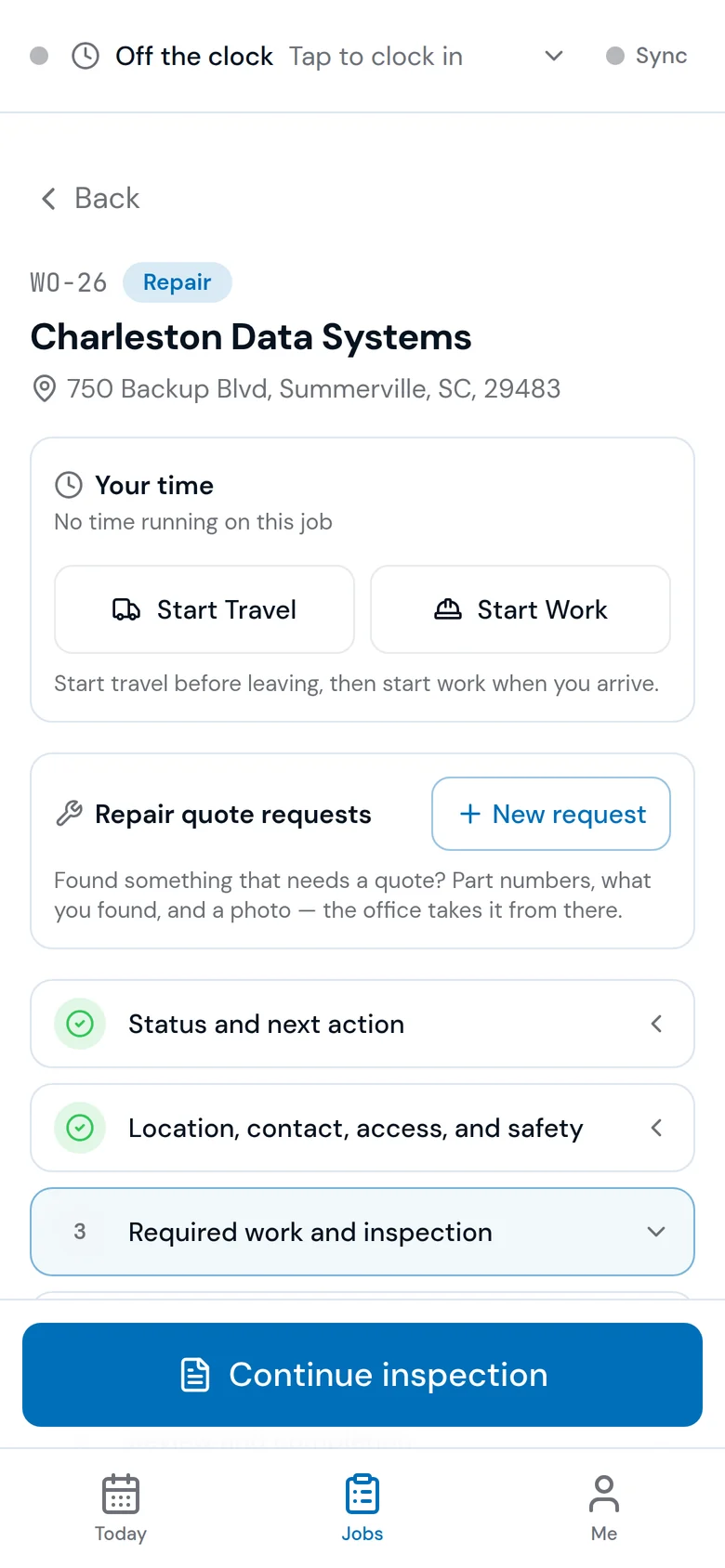
- NFPA 110 monthly checklist in the field app. Audited gates name the person, the server time, and the snapshot. That supports review. It does not certify compliance.
- One company plan and unlimited office and field accounts. Price on the demo or after access review. 14-day trial after approval. No card required.
- Accounting is an invoice sync to QuickBooks Online after setup, not a requirement to run the shop as a QuickBooks add-on.
QuickBooks add-on or service platform
Ask these questions in both demos. They are evaluation checks, not a claim that one architecture is wrong.
- Which QuickBooks edition is required to dispatch, complete, and invoice a generator PM?
- What still works if the accounting file is unavailable for a day?
- Where do the generator serial, ATS identity, and checklist readings live: on the equipment record, or in a note attached to an accounting item?
- Who sets up the connection, what it costs beyond the software plan, and what the export looks like if you leave?
Same-job demo script
One agreement, one generator, one ATS, one invoice. Refuse a generic HVAC walkthrough.
1. Agreement renewal
Take one maintenance agreement through a renewal. Note which visits it creates, which units it covers, and what a person still has to approve.
2. Unit history
Open the generator and its ATS. Check whether prior visits, readings, and photos stay on that unit or live in a note.
3. Install phases
If you sell multi-visit installs, ask Smart Service to show the phases their generator page describes. Ask PowerOps to show the quote, the work order, and the handoff into service on the same job.
4. Outage triage
Smart Service publishes storm and outage triage workflows (vendor-reported). If that is part of your book, make them demonstrate it. Do not treat a marketing page as the workflow.
5. NFPA paperwork
Bring the monthly checklist or load bank sheet a commercial account expects. Compare the form, the export, and the attributed approval. Neither product makes the site compliant.
6. Invoice handoff
Finish at the invoice. Confirm whether QuickBooks is required to run the job or only to sync the invoice, and which provider setup is included.
Questions and answers
Is Smart Service generator service software?
Smart Service publishes a generator service software industry page. That is a real commercial page for this comparison, not a different product that only shares the name. Confirm whether Cloud or Desktop is the edition that fits the shop before you treat the page as the product you would buy.
Does Smart Service require QuickBooks?
Vendor-reported: Smart Service presents a QuickBooks add-on and integration story, with Desktop and Cloud variants discussed publicly. Confirm the edition, what runs inside QuickBooks, and what requires Smart Service Cloud. This page does not treat those editions as the same fit.
Does PowerOps replace a QuickBooks add-on?
PowerOps runs the service workflow in its own system: customers, sites, equipment, dispatch, work orders, quotes, and invoices. Invoices can sync to QuickBooks Online after provider setup. Verify that path in a pilot. It is not sold as a QuickBooks Desktop add-on.
Which handles maintenance agreements better?
Test the same agreement in both demos: renewal, visit generation, and which units are covered. Smart Service publishes a strong agreement and renewal story (vendor-reported). PowerOps shows PM due dates and lets an authorized person generate eligible draft work orders. Keep the record from each demo.
Who documents NFPA 110 tests?
Neither product certifies NFPA 110 compliance. Smart Service generator copy discusses commercial accounts that expect NFPA 110 paperwork (vendor-reported). PowerOps includes an NFPA 110 monthly checklist in the field app. Compare the form, the export, and whether the approval names a person, a time, and a snapshot.
How does pricing compare?
PowerOps does not publish a dollar price. The price is shared on a demo or when a person reviews an access request. Smart Service commercial terms are quote or edition-specific. Do not invent a number for either side. Compare the same seats, modules, onboarding, and QuickBooks charges in writing.
Related reading
- Generator service software
- Preventive maintenance software
- NFPA 110 compliance software
- QuickBooks Online
- Dispatch
- Generator dealer software
- Best generator service software
- Software comparison
- PowerOps vs GenaForce
- PowerOps vs TEN4
- PowerOps vs GenCore
- PowerOps vs ServiceTitan
- PowerOps vs BuildOps
- PowerOps vs FieldEdge
Book a 30-minute demo.
Bring a maintenance agreement and the generator it covers. A 14-day trial starts after a person approves access. No card is required.
843-212-0829 · Monday–Friday, 9:00am–5:00pm Eastern
PowerOps.io#1144
78 Folly Road Ste B9
Charleston, SC 29407
United States