
PowerOps vs GenaForce for generator dealers and service shops
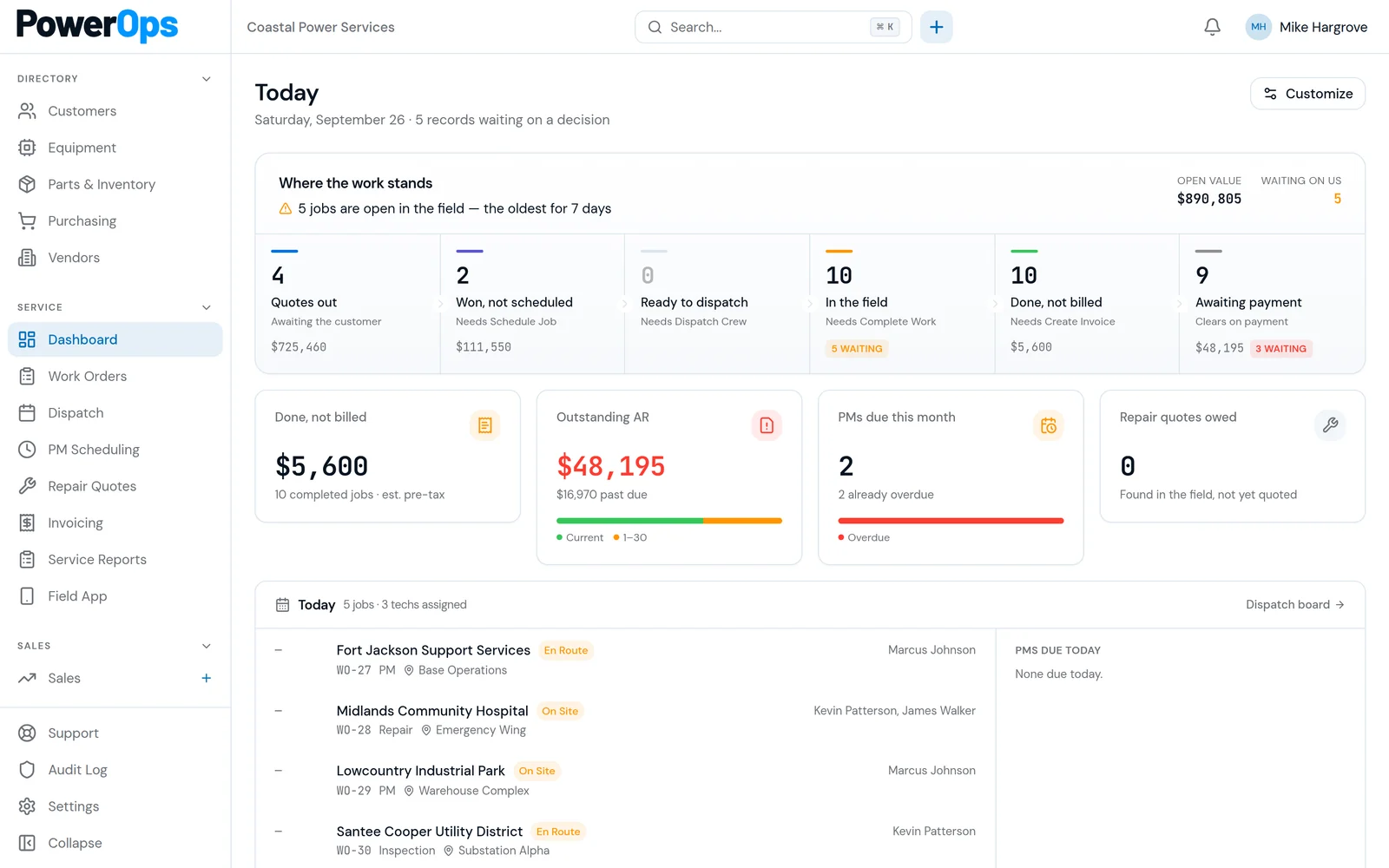
GenaForce publishes a custom CRM and field service platform for generator dealers (vendor-reported on genaforce.com). PowerOps is generator service software for the shop that has to keep customers, sites, generators, ATS records, dispatch, work orders, quotes, and invoices in one workflow.
Evaluate both on the same job: one generator, its ATS, a PM agreement, a field checklist, and the invoice that visit should produce. Competitor notes on this page are vendor-reported. Confirm them in a demo. This page does not rank either product.
At a glance
PowerOps cells describe the current product. GenaForce cells are vendor-reported from their public site. Confirm each one in a demo.
| Topic | PowerOps | GenaForce |
|---|---|---|
| Buyer | Generator service companies: shops and dealers that service standby and EPSS equipment. | Vendor-reported: generator dealers, including Generac-dealer messaging on genaforce.com. |
| Generator-native claim | PowerOps is built for generator service companies, with customers, sites, generators, and ATS records. | Vendor-reported: custom CRM and field service platform for generator dealers. Confirm the claim in a demo. |
| PM and contracts | PM scheduling, due views, staff-triggered draft PM work orders, and service history on the equipment. | Vendor-reported: PM tracking. Confirm agreement changes, visit generation, and unit coverage. |
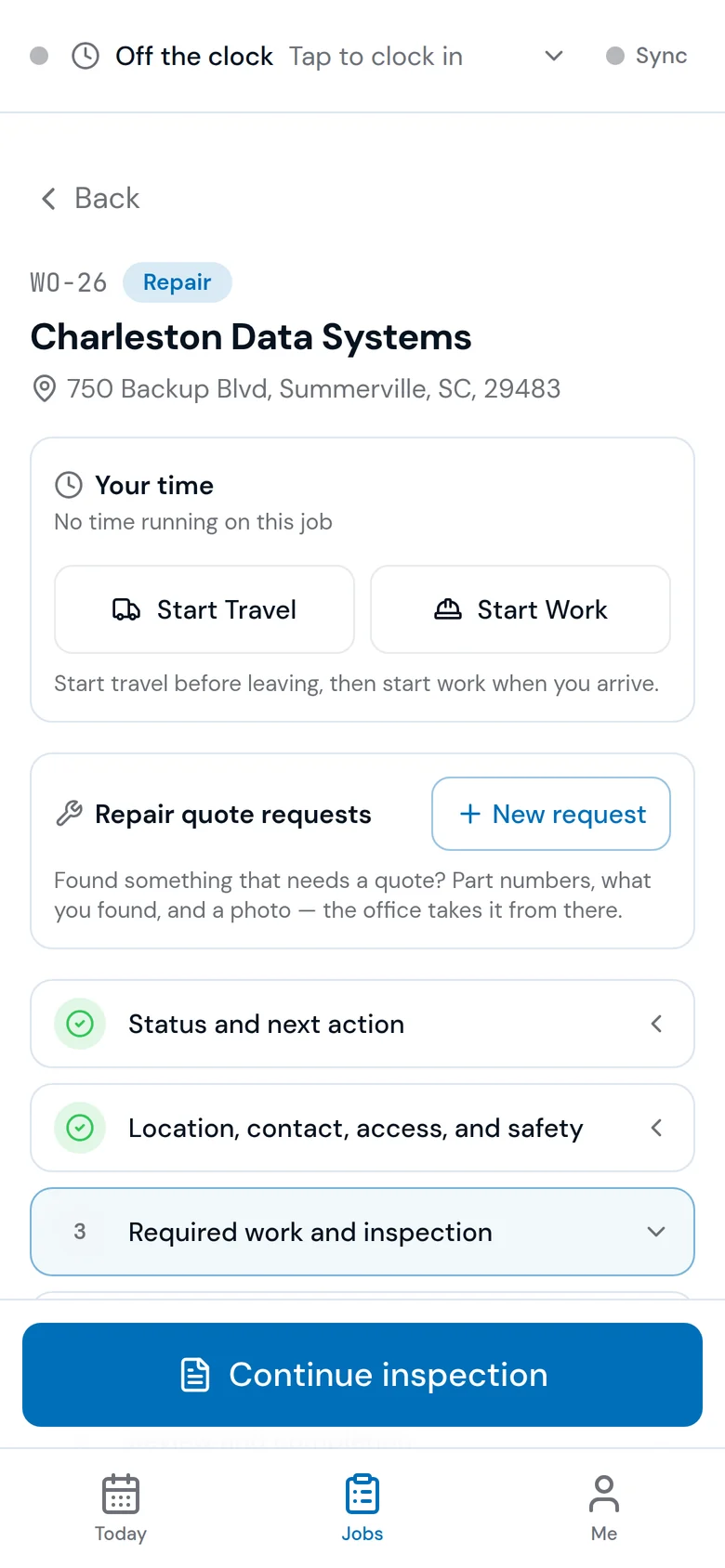
| Field documentation | Mobile field app with inspection and service-report drafts, plus an NFPA 110 monthly checklist. | Vendor-reported: mobile-ready in the browser. Confirm the forms your facilities actually file. |
| Accounting posture | Invoices can sync to QuickBooks Online after provider setup. Not sold as a QuickBooks Desktop add-on. | Confirm the accounting handoff, required edition, and any provider charges with GenaForce. |
| Commercial model | One company plan. Unlimited office and field accounts. Price on the demo or after access review. 14-day trial after a person approves access. No card required. | Confirm current plan, onboarding, export, and renewal terms with GenaForce. This page does not quote a price. |
| Next step | Book a 30-minute demo and bring one generator, its ATS, and a PM agreement. | Book a GenaForce demo and run that same job. Keep the record, do not keep a screenshot of a sample. |
Where GenaForce is strong
These points are vendor-reported from genaforce.com. They are reasons to keep GenaForce on a dealer shortlist, not a verified feature audit.
- Dealer CRM messaging aimed at generator dealers, including Generac-dealer language, with Kohler and Cummins named on the public site.
- A consolidated story for customers, equipment, preventive maintenance, and dispatch.
- Scheduling and a mobile-ready browser experience described on their site. Confirm the technician flow you need.
- An AI roadmap described as developing. Confirm what is available in the edition you would buy. PowerOps does not let an AI agent advance a workflow gate.
Where PowerOps is built differently
These are PowerOps product facts. They are not claims that GenaForce lacks the same capability.
- Customers, sites, generators, and ATS records, with UPS where the product documents it, and service history on the equipment.
- Dispatch, work orders, quotes, and invoices in one workflow, with a mobile field app for inspection and service-report drafts.
- An NFPA 110 monthly checklist in the field app, PM due views, and staff-triggered draft PM work orders.
- Audited gates record a named authenticated person, server timestamp, and snapshot. The trail is append-only. It supports review and does not certify compliance.
- One company plan, unlimited office and field accounts, and onboarding included. A 14-day trial starts after access approval. No card is required.
- QuickBooks Online invoicing sync after provider setup. Not a QuickBooks Desktop add-on requirement.
Same-job demo script
Use one generator and its ATS in both demos. Write down what you saw. A category label is not a fit decision.
1. Equipment identity
Open one generator and its ATS. Check make, model, serial, kW, fuel, and site link on both products. Note anything staff would have to re-enter when the unit moves from a sale into service.
2. PM agreement change
Change coverage on one unit. See whether the next due visit, the agreement, and the equipment history stay connected, and what a person still has to approve.
3. NFPA checklist
Open the monthly checklist you actually file. In PowerOps, an NFPA 110 monthly checklist is available in the field app. Confirm GenaForce forms against that same sheet. Neither product certifies compliance.
4. Limited connectivity
PowerOps checklist and service-report drafts save locally after an online session check. Reconnect to resume or submit. Drafts never submit in the background. Only eligible note and labor operations sync automatically. Photos and final completion need a connection. Ask GenaForce what their mobile flow does in the same conditions.
5. Quote to invoice
Trace one approved quote into the work order and the invoice without retyping the customer, site, or equipment. Confirm which steps are a named person clicking a gate.
6. Approval export
Export the approval record: named person, server timestamp, and the snapshot of what they saw. Audited gates in PowerOps support review. They do not replace the facility or AHJ decision.
Who should shortlist which
Shortlist GenaForce when
The buying question is a dealer CRM with the Generac-dealer workflows their site describes. Put their scheduling, PM, dispatch, and mobile story on your own book of business and confirm it in a demo.
Shortlist PowerOps when
The buying question is commercial and critical service documentation: durable generator and ATS records, a PM book, an NFPA 110-oriented field checklist, and approvals attributed to a named person. Book a demo before you treat any of that as a match for your contract.
Questions and answers
What is GenaForce?
GenaForce, at genaforce.com, publishes itself as a custom CRM and field service platform for generator dealers. Treat that description as vendor-reported and confirm the product you would actually buy in a demo. This page is not about other products that use a similar name.
Is PowerOps a GenaForce alternative?
PowerOps is generator service software for shops and dealers that run customers, sites, generators, ATS records, dispatch, work orders, quotes, and invoices. It is a reasonable shortlist item when you are comparing generator-vertical CRM and field service tools. It is not a ranking, and it does not replace a same-job demo.
Does GenaForce include field service and CRM?
Vendor-reported from genaforce.com: GenaForce describes a combined CRM and field service platform, including customer and equipment records, PM tracking, dispatch, and a mobile-ready browser experience. Confirm those workflows on your own generator, ATS, and PM agreement.
Does PowerOps support NFPA 110 checklists?
PowerOps includes an NFPA 110 monthly checklist in the field app, along with PM due views and service history on the equipment record. Audited gates store the named person, server timestamp, and a snapshot, which supports review. The software does not certify that a company or a site is compliant.
How does pricing compare?
PowerOps does not publish a dollar price. The price is shared on a demo or when a person reviews an access request. GenaForce plan terms belong on their site or in their quote. Compare the same scope in writing. This page does not reprint either price.
Which is better for Generac dealers?
Neither product wins that label here. GenaForce publishes Generac-dealer messaging, which is vendor-reported. A Generac dealer that also services commercial and critical equipment should run the same job in both demos: equipment identity, a PM agreement change, a field checklist, and the invoice.
Can I migrate customer and equipment data?
First confirm the export files you can obtain and check a sample. PowerOps maps, validates, and previews customer and contact imports, and the equipment page imports CSV records. Verify each generator serial number, kW rating, site link, and ATS identity, and confirm how historical files outside the import will be retained.
Related reading
- Generator dealer software
- Generator service software
- NFPA 110 compliance software
- PM scheduling
- Mobile field app
- Best generator service software
- Software comparison
- Generator service CRM guide
- PowerOps vs Smart Service
- PowerOps vs TEN4
- PowerOps vs GenCore
- PowerOps vs BuildOps
- PowerOps vs ServiceTitan
- PowerOps vs FieldServio
- PowerOps vs Simpro
- PowerOps vs FieldEdge
Book a 30-minute demo.
Bring a generator, an ATS, and the report the customer expects. A 14-day trial starts after a person approves access. No card is required.
843-212-0829 · Monday–Friday, 9:00am–5:00pm Eastern
PowerOps.io#1144
78 Folly Road Ste B9
Charleston, SC 29407
United States